Roll back patches
If a patch supports rollbacks, you can remove them from managed devices. Some vendors and patch-types do not support rollbacks. For example, large software patches, such as Service Packs, cannot be rolled back. If a patch supports rollbacks, you can remove it from all managed devices on which it is installed, or from one or more selected devices.
To roll back a patch:
- To roll back a patch from all managed devices on which the patch is installed:
- Select the Libraries tab in top navigation.
- Click the Patching icon.
- On the Patch Catalog tab, select a patch.
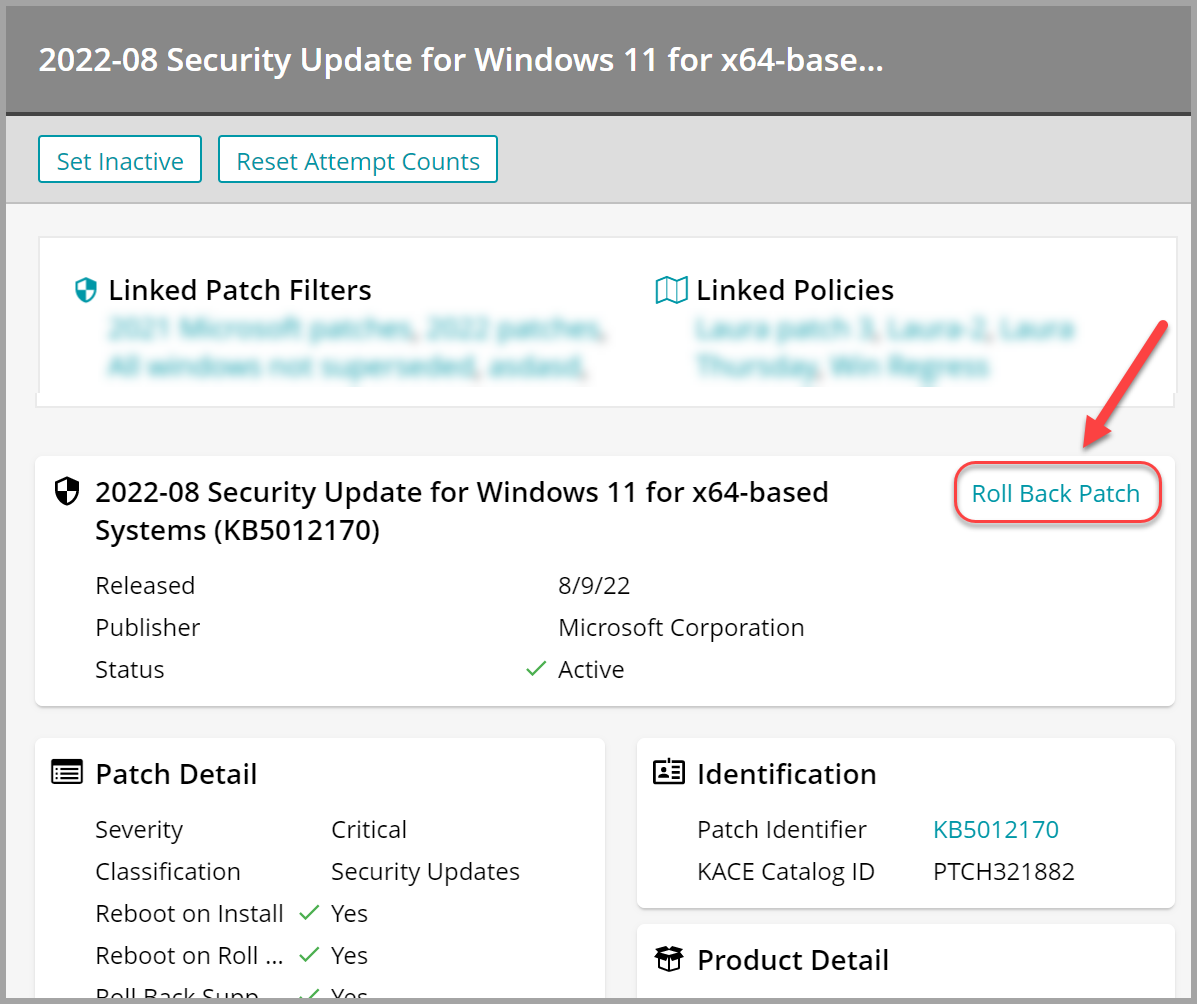
- In the patch view on the right, click Roll Back Patch.
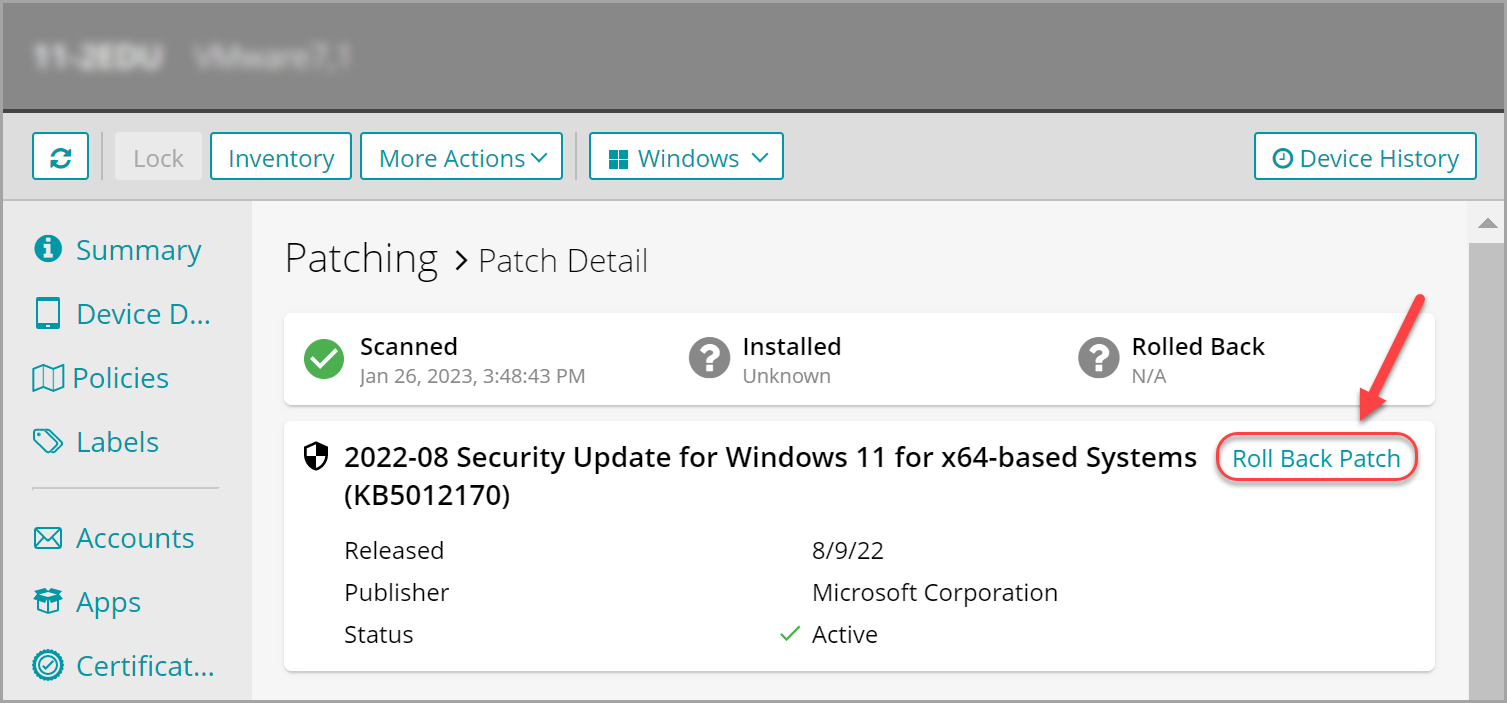
- To roll back a patch from a single managed device:
- Select the Devices tab in top navigation.
- Select a device from the list.
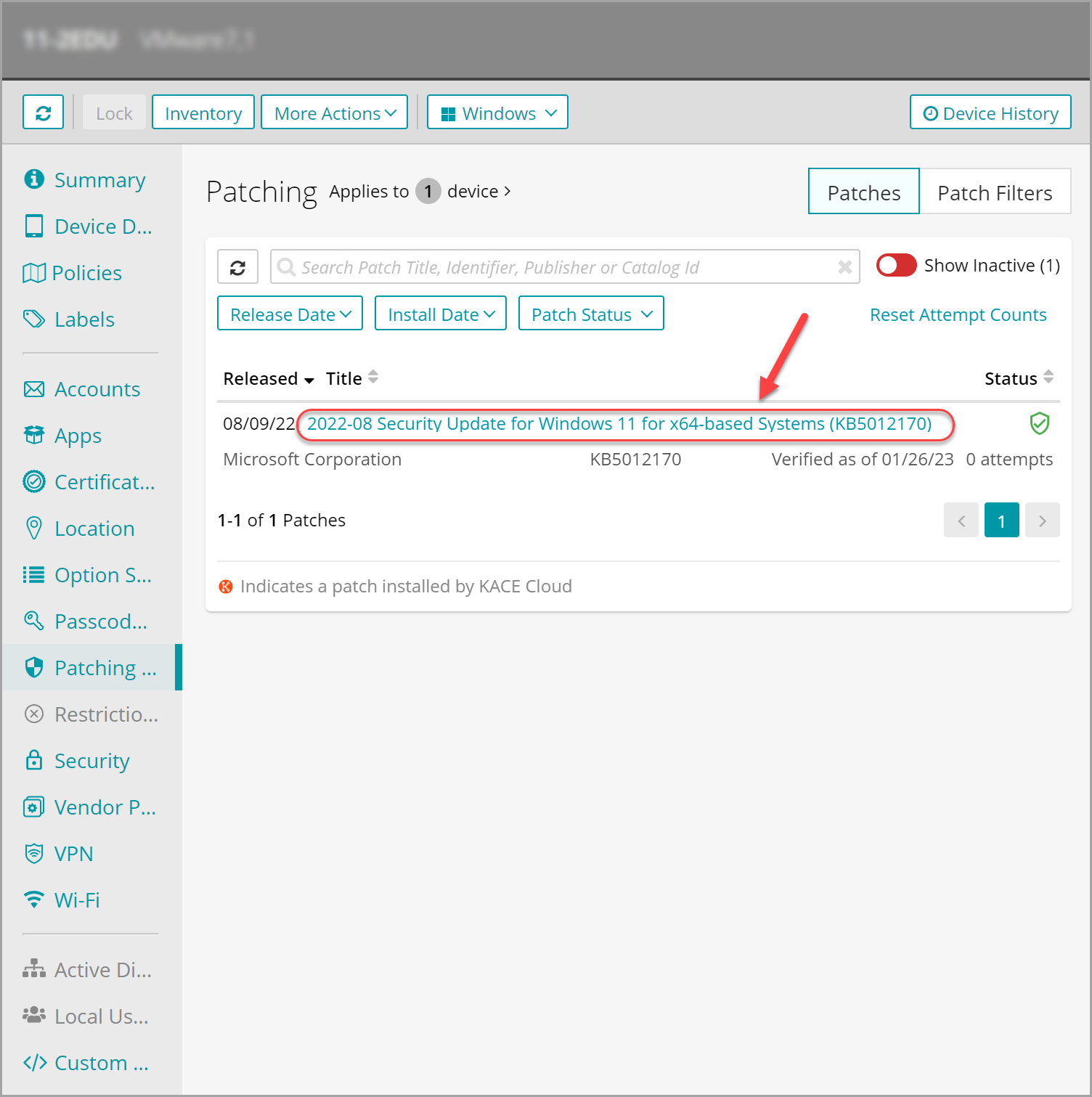
- In the device view that appears on the right, in the left panel, click Patching.
- In the list of patches, click the patch that you want to roll back.
- In the Patch Detail view that appears, click Roll Back Patch.